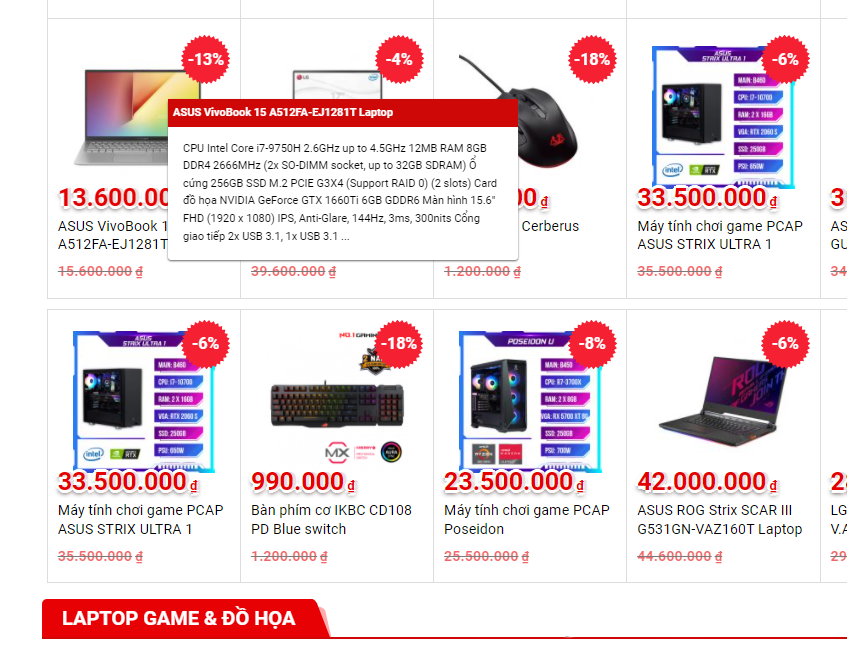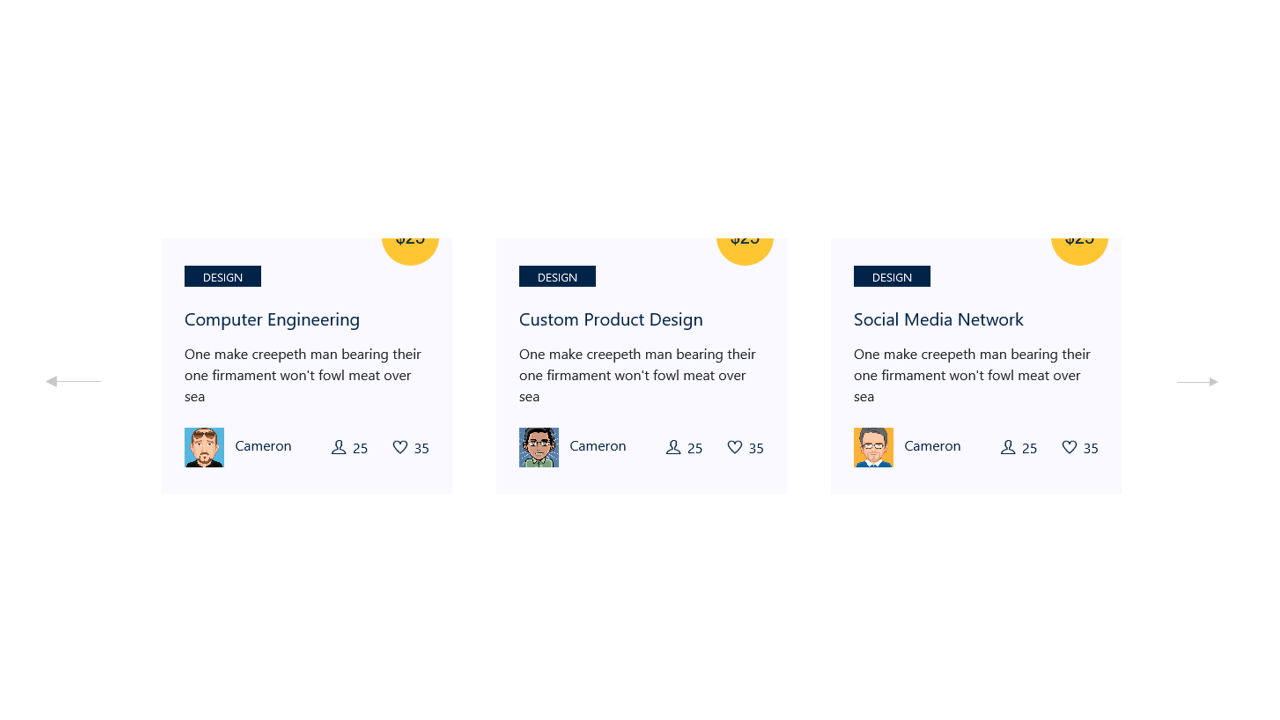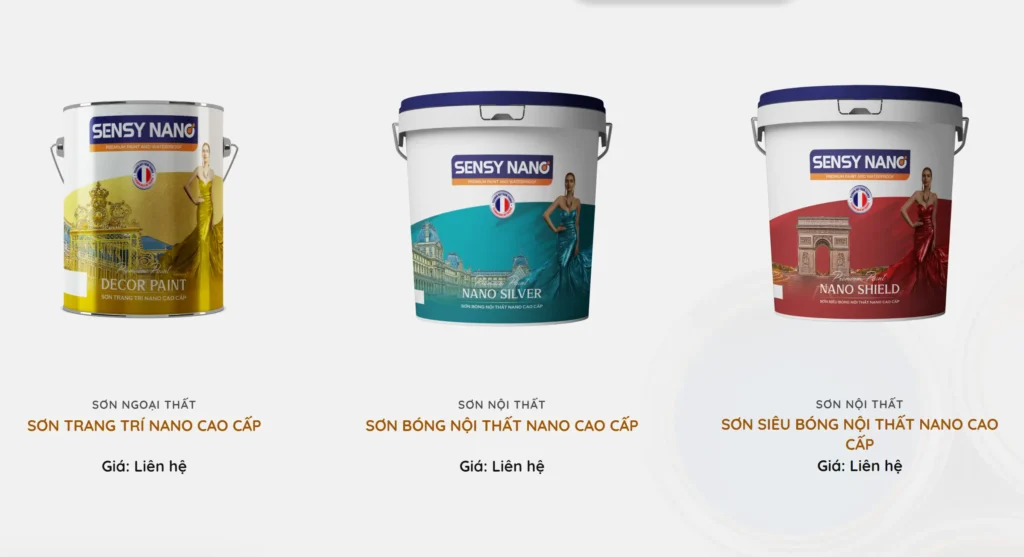
Trong bài viết này Shopcode.vn sẽ hướng dẫn tạo slide danh mục sản phẩm nổi bật trong WordPress bằng slick như hình dưới:

Phương án:
- Viết một shortcode để có thể bỏ vào bất cứ chỗ nào mà chúng ta muốn
- Trong lần này chúng ta sẽ sử dụng slick plugin jquery, acf để tạo
- Viết một class để làm việc này sau đó include vào file functions.php
Code tham khảo:
Yêu cầu: Đã có kiến thức về Php, jquery, wordpress core. Code không dành cho Newbee nhé
<?php
namespace Fcwordpress;
use Fcwordpress\DanhMucNoiBat;
class DanhMucNoiBat{
    function __construct(){
        add_action('acf/init', array($this,'my_acf_op_init'));
        $this->customFields();
        add_shortcode( 'danh-muc-san-pham-noi-bat', array($this,'danhMucSanPhamNoiBat'));
        add_action('ux_builder_setup', array($this, 'ux_builder_element'));
        add_action( 'wp_enqueue_scripts', array($this,'front_end_styles') );
    }

function customFields(){
    if( function_exists('acf_add_local_field_group') ):

        acf_add_local_field_group(array(
            'key' => 'group_654383a534108',
            'title' => 'Danh mục nổi bật',
            'fields' => array(
                array(
                    'key' => 'field_654383ae33ade',
                    'label' => 'Chọn danh mục',
                    'name' => 'vtx_dmsp_noi_bat',
                    'type' => 'taxonomy',
                    'instructions' => '',
                    'required' => 0,
                    'conditional_logic' => 0,
                    'wrapper' => array(
                        'width' => '',
                        'class' => '',
                        'id' => '',
                    ),
                    'taxonomy' => 'product_cat',
                    'field_type' => 'multi_select',
                    'allow_null' => 0,
                    'add_term' => 0,
                    'save_terms' => 0,
                    'load_terms' => 0,
                    'return_format' => 'id',
                    'multiple' => 0,
                ),
            ),
            'location' => array(
                array(
                    array(
                        'param' => 'options_page',
                        'operator' => '==',
                        'value' => 'vtx-danh-muc-noi-bat',
                    ),
                ),
            ),
            'menu_order' => 0,
            'position' => 'normal',
            'style' => 'default',
            'label_placement' => 'top',
            'instruction_placement' => 'label',
            'hide_on_screen' => '',
            'active' => true,
            'description' => '',
            'show_in_rest' => 0,
        ));

        endif;
}
public function front_end_styles() {

    wp_register_style( 'vtx-slick', VTX_ASSETS_URL . 'slick/slick.css', array( ), time(), false );
    wp_enqueue_style( 'vtx-slick' );


    wp_register_script( 'vtx-slick', VTX_ASSETS_URL . 'slick/slick.min.js', array( 'jquery'), time(), true );
    wp_enqueue_script( 'vtx-slick' );


}
    function my_acf_op_init() {
        if( function_exists('acf_add_options_page') ) {
            //menu page
        acf_add_options_page(array(
                    'page_title'    => __('Danh mục nổi bật'),
                    'menu_title'    => __('Danh mục nổi bật'),
                    'menu_slug'     => 'vtx-danh-muc-noi-bat',
                    'capability'    => 'manage_options',
                    'redirect'      => false,
                    'position' => '2',
                    'icon_url' => 'dashicons-ellipsis',
                ));


        }
    }
    function danhMucSanPhamNoiBat () {
        //bắt đầu cache
        ob_start();
       include VTX_VIEWS_DIR."danh-muc-san-pham-noi-bat.php";
        //tất cả nội dung lưu vào biết $output
        $output = ob_get_clean();
        return $output;
    }
    public function ux_builder_element()
    {

    add_ux_builder_shortcode('danh-muc-san-pham-noi-bat',
      array(
        'name'      => __('Danh mục sản phẩm nổi bật'),
        'category'  => __('Content'),
        'priority'  => 1
      )
    );


  }
}
new DanhMucNoiBat();
Hiển thị như thế nào nhỉ:
<?php $vtx_dmsp_noi_bat = get_field("vtx_dmsp_noi_bat","option"); ?>
<?php if($vtx_dmsp_noi_bat){ ?>
<div class="pvtx-feature">
    <h2 class="name-box">
        Danh mục nổi bật
        <a href="<?php echo get_permalink( wc_get_page_id( 'shop' ) ); ?>">Xem tất cả</a>
    </h2>
    <div class="box-pvtx has-scroll">
        <?php foreach($vtx_dmsp_noi_bat as $term_id){
            $term = get_term($term_id,'product_cat');

            $thumbnail_id = get_term_meta( $term_id, 'thumbnail_id', true );
            if($thumbnail_id){
            $image_url = wp_get_attachment_url( $thumbnail_id );
            }else{
                $image_url = wc_placeholder_img_src();
            }
            ?>
        <div class="box-pvtx-item">
            <a href="<?php echo get_term_link( (int) $term_id,'product_cat'); ?>">
                <div class="img-boxpvtx">
                    <img width="55" height="55" src="<?php echo $image_url; ?>">
                </div>
                <h3><?php echo $term->name; ?></h3>
            </a>
        </div>
        <?php } ?>
    </div>
</div>
<script>
jQuery(function($) {
    $('.box-pvtx').slick({
        centerMode: false,
        centerPadding: '60px',
        slidesPerRow: 1,
        rows: 2,
        slidesToShow: 10,
        prevArrow: '<button type="button" class="slick-prev"><i class="fa fa-angle-left" aria-hidden="true"></i></button>',
        nextArrow: '<button type="button" class="slick-next"><i class="fa fa-angle-right" aria-hidden="true"></i></button>',
        responsive: [{
                breakpoint: 769,
                settings: {
                    arrows: false,
                    centerMode: false,
                    centerPadding: '40px',
                    slidesToShow: 5
                }
            },
            {
                breakpoint: 600,
                settings: {
                    arrows: false,
                    centerMode: false,
                    centerPadding: '20px',
                    slidesToShow: 4
                }
            }
        ]
    });
});
</script>
<style>
.box-pvtx.has-scroll .slick-arrow.slick-next {
    right: 3px;
    top: -50px;
    left: auto;
}

.box-pvtx.has-scroll .slick-arrow.slick-prev {
    left: 3px;
    top: -50px;
}

.box-pvtx.has-scroll .slick-arrow .fa {
    font-size: 25px;
}

.slick-arrow {
    position: absolute;
    top: 0;
    bottom: 0;
    margin: auto;

    padding: 0;
    border: 0;
    left: -20px;
    background: rgba(255, 255, 255, .8);
    box-shadow: 0 4px 4px rgba(0, 0, 0, .25);
    border-radius: 4px 0 0 4px;
    z-index: 1;
    cursor: pointer;
}

.box-pvtx.has-scroll .slick-arrow.prev-arrow {
    left: 0;
    top: -50px;
}

.box-pvtx.has-scroll .slick-arrow {
    width: 44px;
    height: 44px;
    border-radius: 50%;
    filter: drop-shadow(0 4px 7px rgba(0, 0, 0, .15));
}

.box-pvtx.has-scroll .box-pvtx-item img {
    display: block;
    margin: auto;
    width: auto;
    height: 60px;
    width: 60px;
    object-fit: cover;
    border-radius: 10px;
}

.box-pvtx.has-scroll .box-pvtx-item a h3 {
    min-height: 38px;
    display: block;
    margin-top: 8px;
    font-size: 14px;
    text-align: center;
    color: #333;
    font-weight: 400;
    margin-bottom: 0;
}

.pvtx-feature {
    display: block;
    overflow: hidden;
    background: #eee;

    border-radius: 12px;
}

.slick-initialized .slick-slide>div:nth-of-type(1) {
    margin-bottom: 20px;
}

.name-box {
    display: block;
    overflow: hidden;
    padding: 15px 22px;
    font-size: 22px;
    line-height: 36px;
    color: #333;
    text-transform: uppercase;
}

.name-box a {
    float: right;
    text-transform: none;
    font-weight: 500;
    color: #555;
    font-size: 16px;
    text-transform: uppercase;
}

.name-box a:after {
    content: '';
    border-top: 1px solid #333;
    border-right: 1px solid #333;
    width: 6px;
    height: 6px;
    display: inline-block;
    vertical-align: middle;
    margin: 0 1px 2px 5px;
    transform: rotate(45deg);
}

.pvtx-feature .box-pvtx {
    display: block;
    overflow: hidden;
    padding: 0 40px 30px;
}

@media only screen and (max-width: 600px) {
    .pvtx-feature .box-pvtx {

        padding: 0 10px 30px;
    }
}
</style>
<?php } ?>
Code trên đã bao gồm phần cấu hình slick để chạy và css rồi nhé.
Chúc các bạn thành công!
Xem thêm:
- Phần 2 : Các hàm hook trong trang sản phẩm woocommerce
- Sửa lỗi khung bình luận Facebook trên website WordPress đột nhiên bị thu hẹp chiều rộng
- Tải miễn phí Advanced Custom Fields Pro 6.7.0.2 + Addons
- Cách Backup Website Bằng All In One Migration: Hướng Dẫn Từ A Đến Z
- [Share] Avas 6.9.2 – Multi-purpose WordPress Theme Nhẹ, Chuẩn SEO & Tối Ưu Cho Elementor