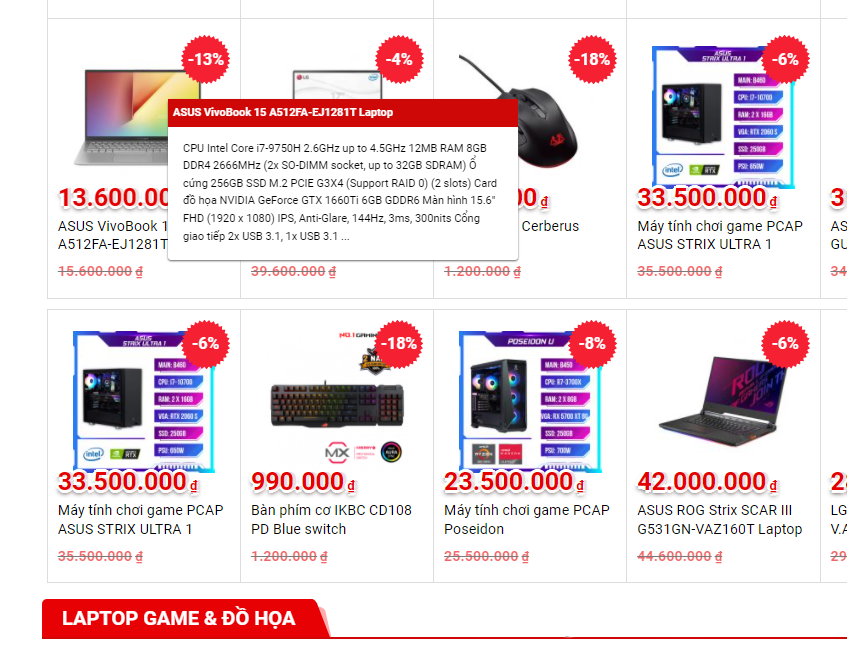
Bạn không muốn hiển thị giá thành công khai trên website mà muốn khách hàng liên hệ với bạn bạn có thể dùng code Chuyển không có giá thành LIÊN HỆ hoặc số điện thoại trong wordpress. Bạn chèn đoạn code sau vào file functions.php là ok nhé.

Code chuyển không có giá hoặc 0đ thành chữ “Liên hệ” hoặc số điện thoại
Dán code dưới vào file functions.php của theme
function devvn_wc_custom_get_price_html( $price, $product ) {
    if ( ! $product->get_price() ) {
        if ( $product->is_on_sale() && $product->get_regular_price() ) {
            $regular_price = wc_get_price_to_display( $product, array( 'qty' => 1, 'price' => $product->get_regular_price() ) );

            $price = wc_format_price_range( $regular_price, __( 'Free!', 'woocommerce' ) );
        } else {
            $price = '<span class="amount">' . __( 'Giá: Liên hệ', 'woocommerce' ) . '</span>';
        }
    }
    return $price;
}
add_filter( 'woocommerce_get_price_html', 'devvn_wc_custom_get_price_html', 10, 2 );
Ở đoạn code trên có chữ ‘ Liên hệ’, bạn có thể thay chữ này thành số điện thoại hoặc bất cứ chữ gì bạn muốn nhé
Tự động chuyển “Giá bán” thành “Liên hệ” hoặc số điện thoại khi hết hàng trong wordpress.
Đoạn code này sẽ giúp bạn tự động chuyển “Giá bán” thành “Liên hệ” hoặc số điện thoại khi hết hàng. Thêm đoạn code sau vào functions.php của theme là được:
function devvn_oft_custom_get_price_html( $price, $product ) {
    if ( !is_admin() && !$product->is_in_stock()) {
       $price = '<span class="amount">' . __( 'Giá: Liên hệ', 'woocommerce' ) . '</span>';
    }
    return $price;
}
add_filter( 'woocommerce_get_price_html', 'devvn_oft_custom_get_price_html', 99, 2 );
Chúc bạn thành công!
Xem thêm:
- Hover hiển thị thông tin sản phẩm dạng Tooltip cho Woocommerce
- Sửa lỗi khung bình luận Facebook trên website WordPress đột nhiên bị thu hẹp chiều rộng
- Thêm hiệu ứng ánh sáng khi hover ảnh sản phẩm Woocommerce bằng CSS
- 9 Theme Shopify Tốt Nhất Cho Cửa Hàng Thời Trang
- [ FREE SHARE] Gopher’s | Grocery, Shopping Shopify Theme